
UF Dual Enrollment Application Guide: UF Happiness Course
IDS 2935 – What Can Social Science Tell Us About Happiness and Living a Happier Life?
Before You Begin
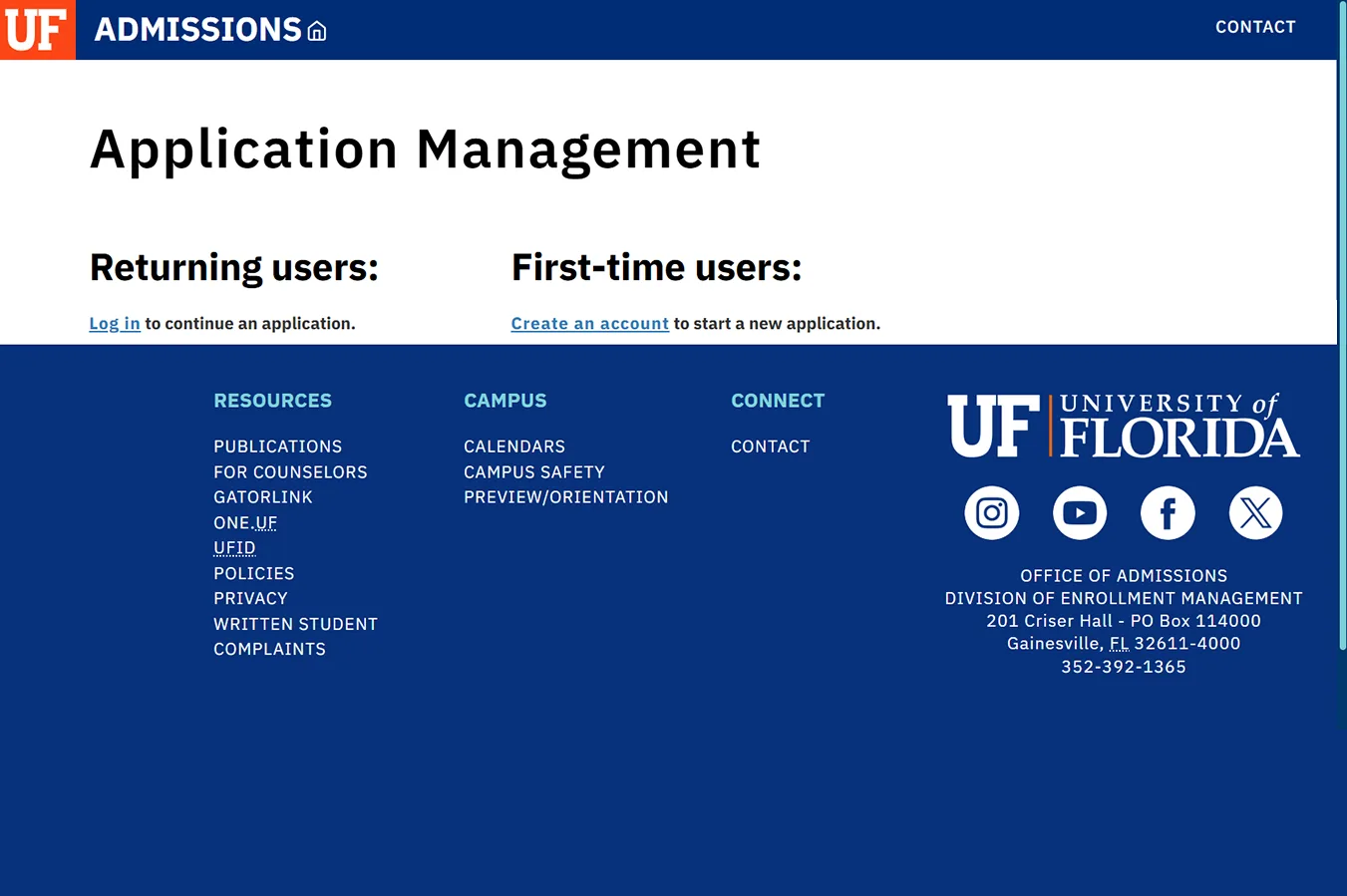
All students will need to create an Application Management Account to submit an application in the system.
Create Account
Click photo to enlarge
Save these application log-in credentials!
- Please click on the link to create an account as a First-Time User.
Access Application Management Page
Create your account as a first-time user to submit your application
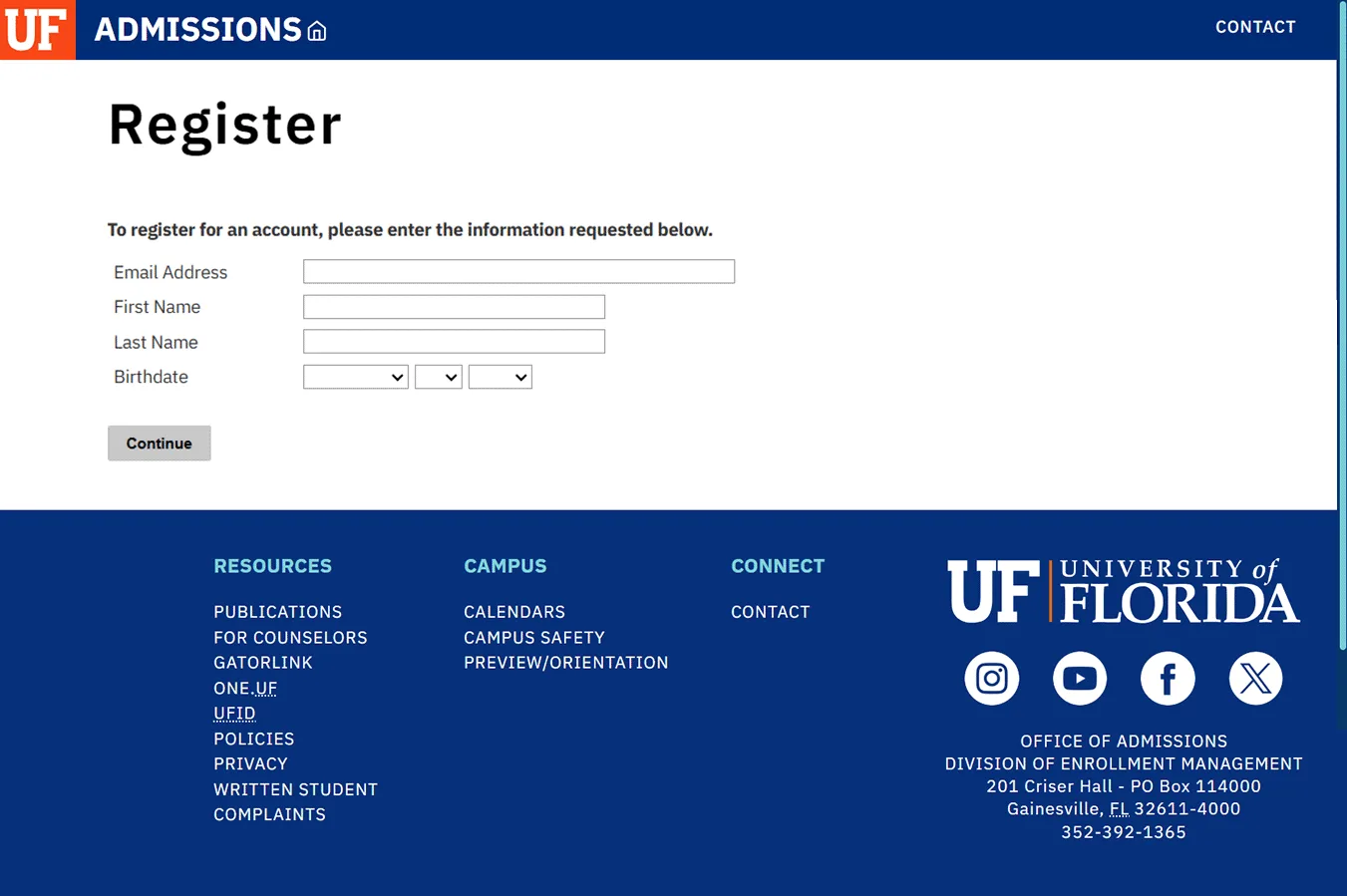
New User Account Creation:
Students: use a personal email account to sign up. Do not use your school-issued email and do not use your parent’s email to create your account.
You will use the same information to log in and submit a dual enrollment application if you plan to continue in the program in future semesters.
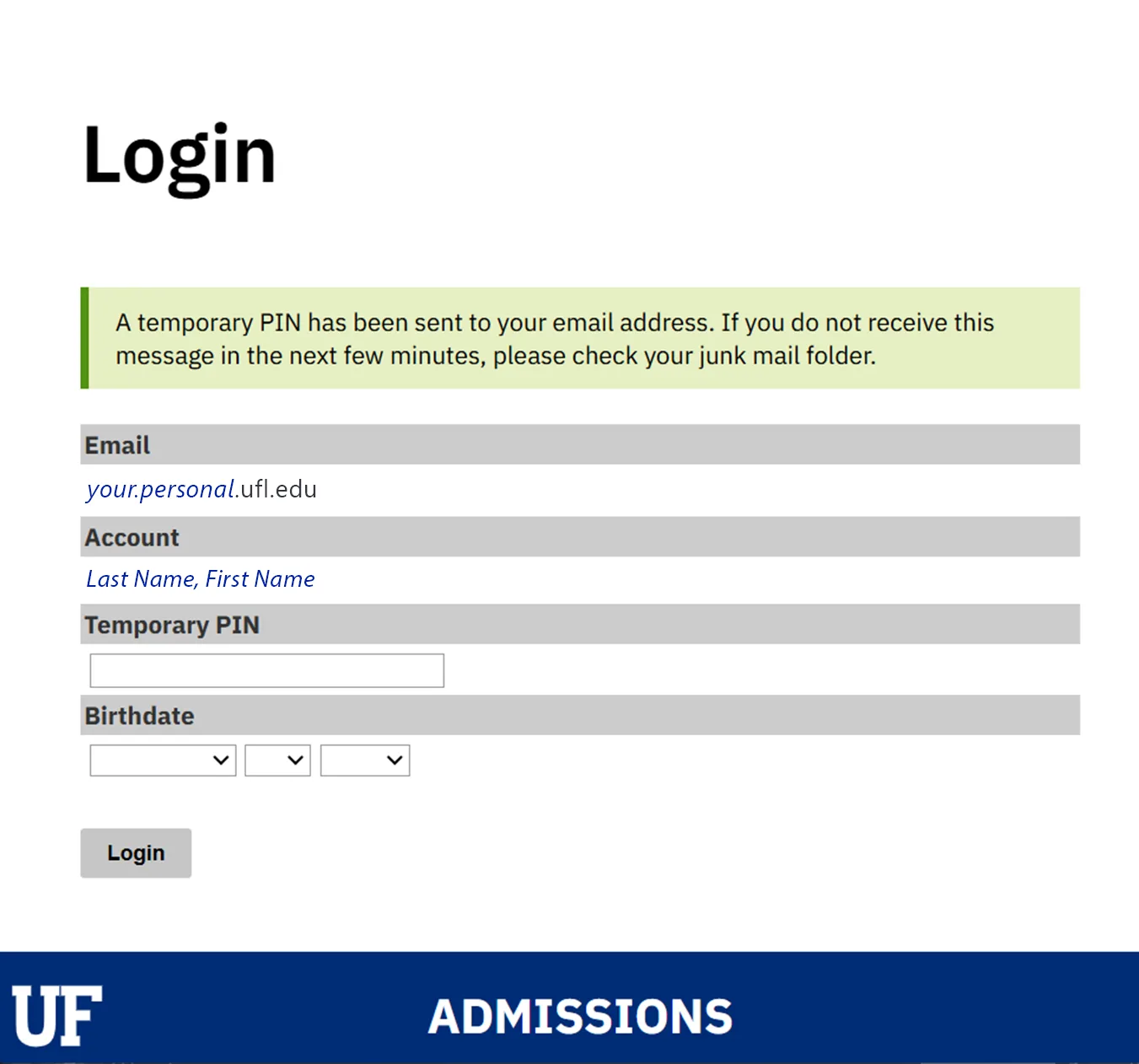
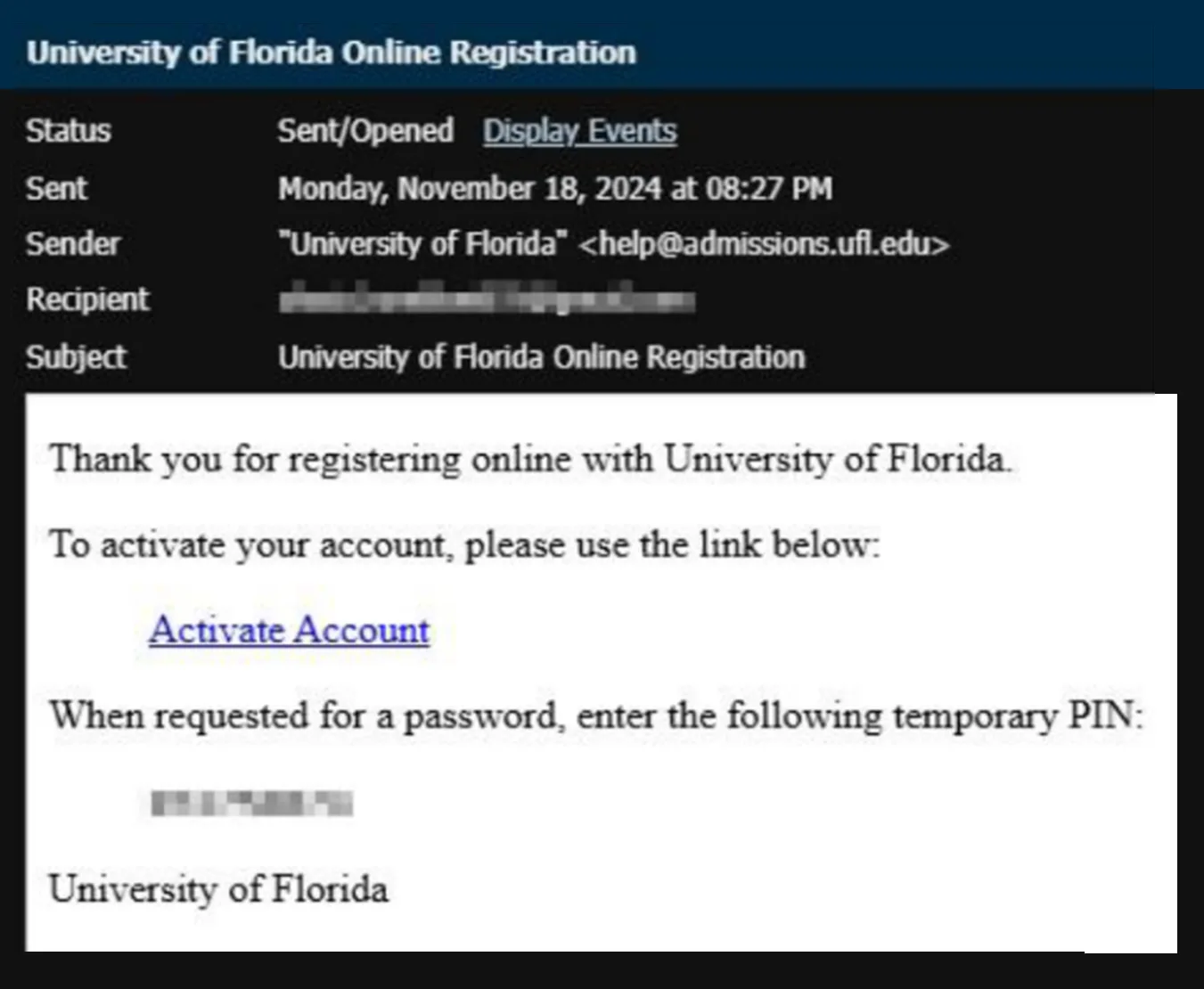
- You will receive an email with a temporary pin to finish setting up your Application Management Account.
Submitting Your Application
Start New Application
This is your Application Management page. Click on Start New Application to begin.

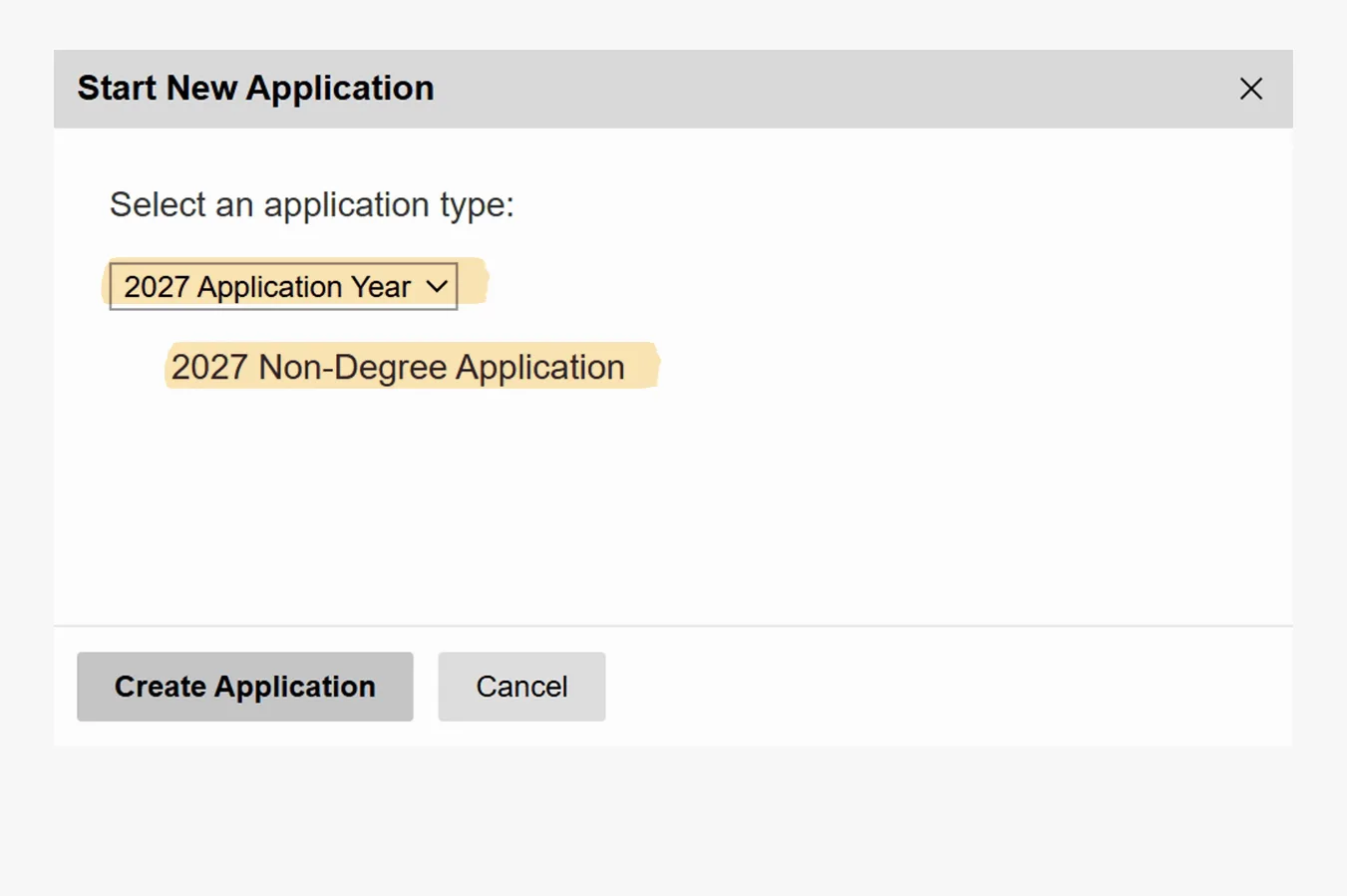
Select an Application Type
Click on the correct year for the term in which you are applying:
- For Spring 2027, you will select 2027 Application Year
- Next, you will select the Application Type: Non-Degree Application
Click “Create Application” button to proceed to the next step.
Click on the button to Open Application and begin filling out the application details.
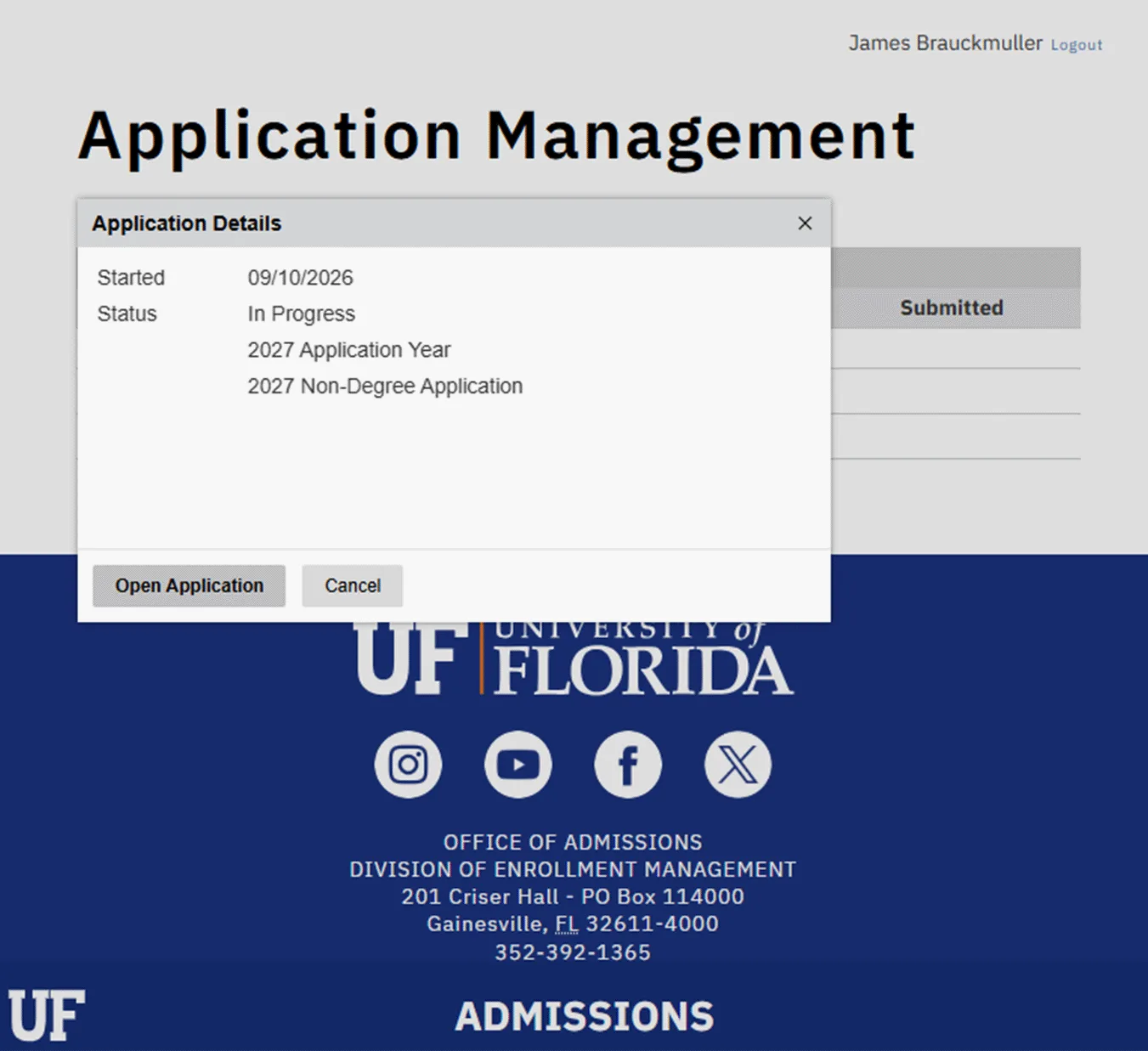
Important: Dual Enrollment students are considered Non-Degree Seeking applicants at the University.
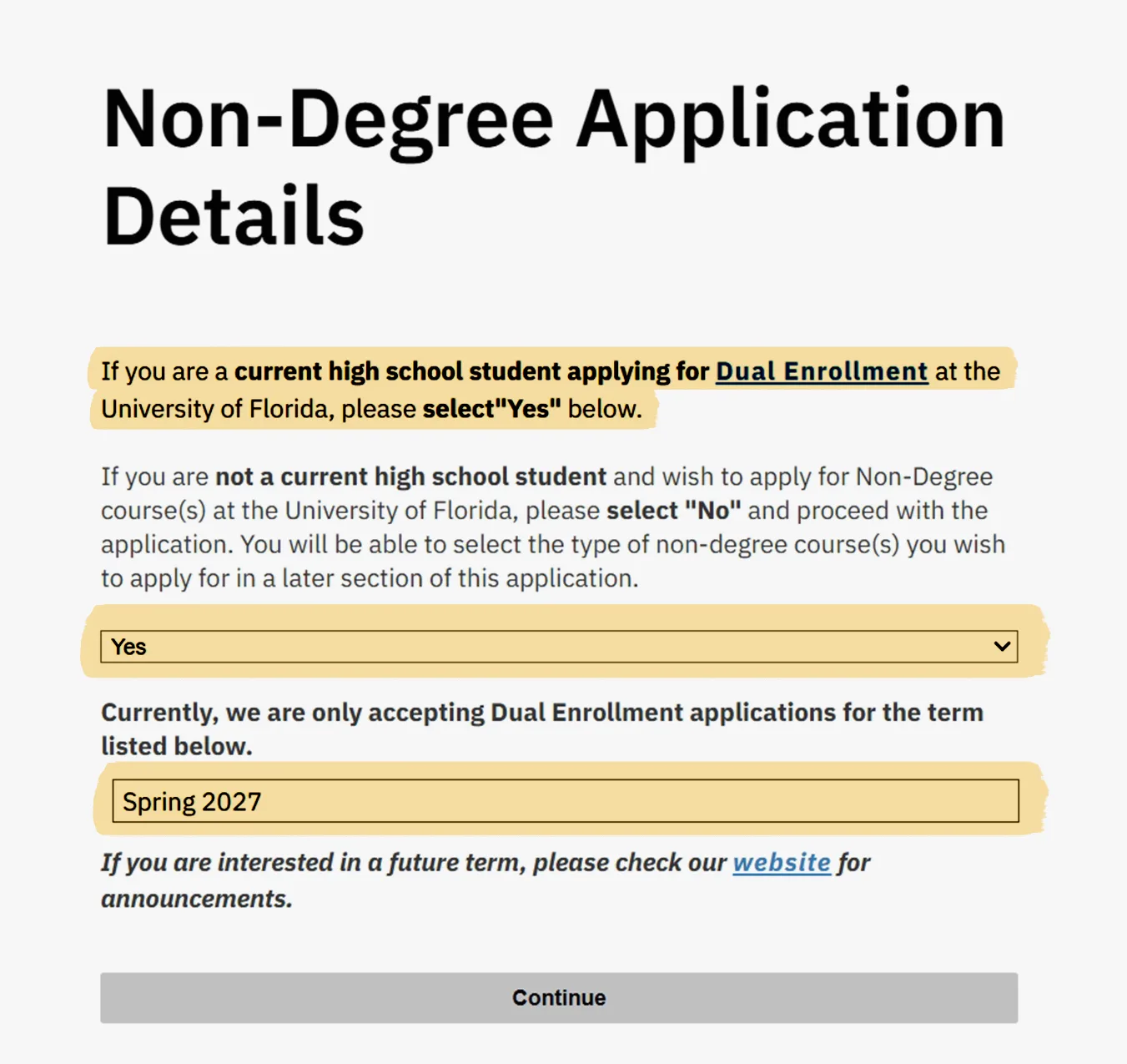
Page 1 – Application Details
Critical: When you get to this page, be sure to answer “YES” to the Dual Enrollment question.
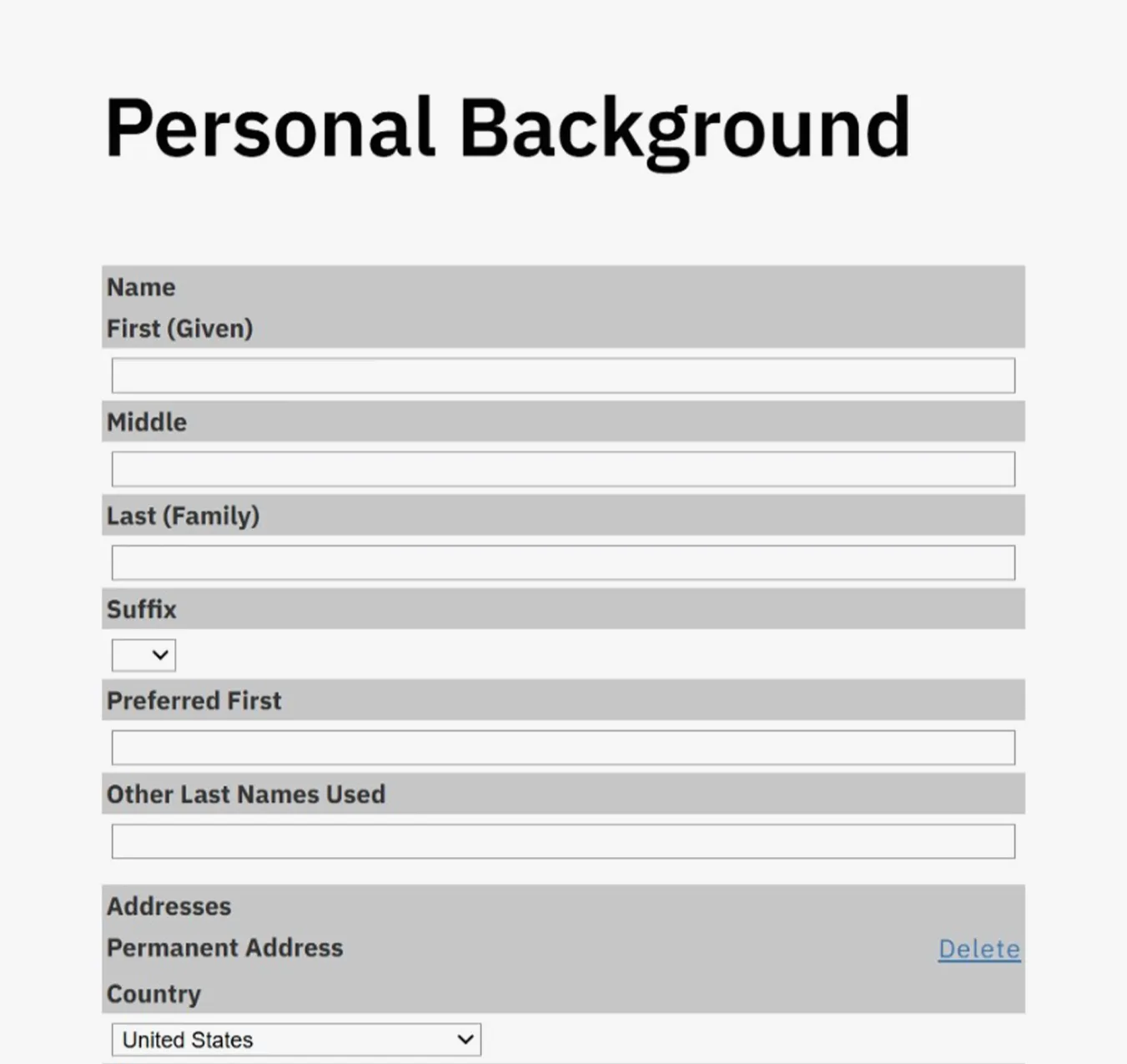
Page 2 – Personal Background
You will continue to fill out the rest of the application with the information required.
SSN: If you have a Social Security Number, this information needs to be entered. If you do not know your SSN at this time, please pause your application and complete it once you have the required information.
Students with an assigned UFID number can leave the SSN number field blank.
No valid SSN: please leave the area blank (do not enter 0’s) and contact our office for further details before submitting application.
Page 3 – Conduct Information
Next will be the Conduct Information section. Students are required to disclose any criminal or educational conduct.
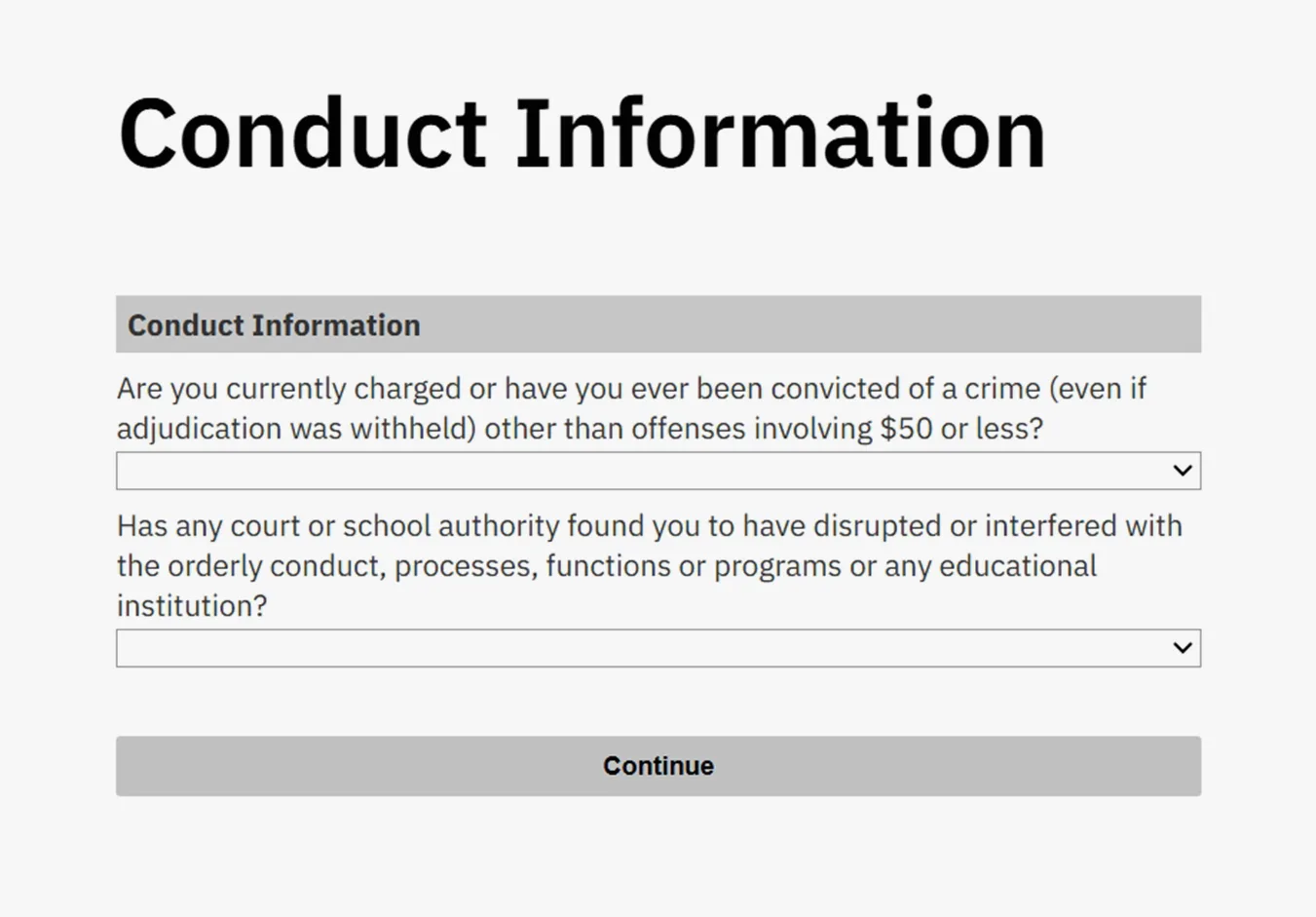
Page 4 – Dual Enrollment High School Information
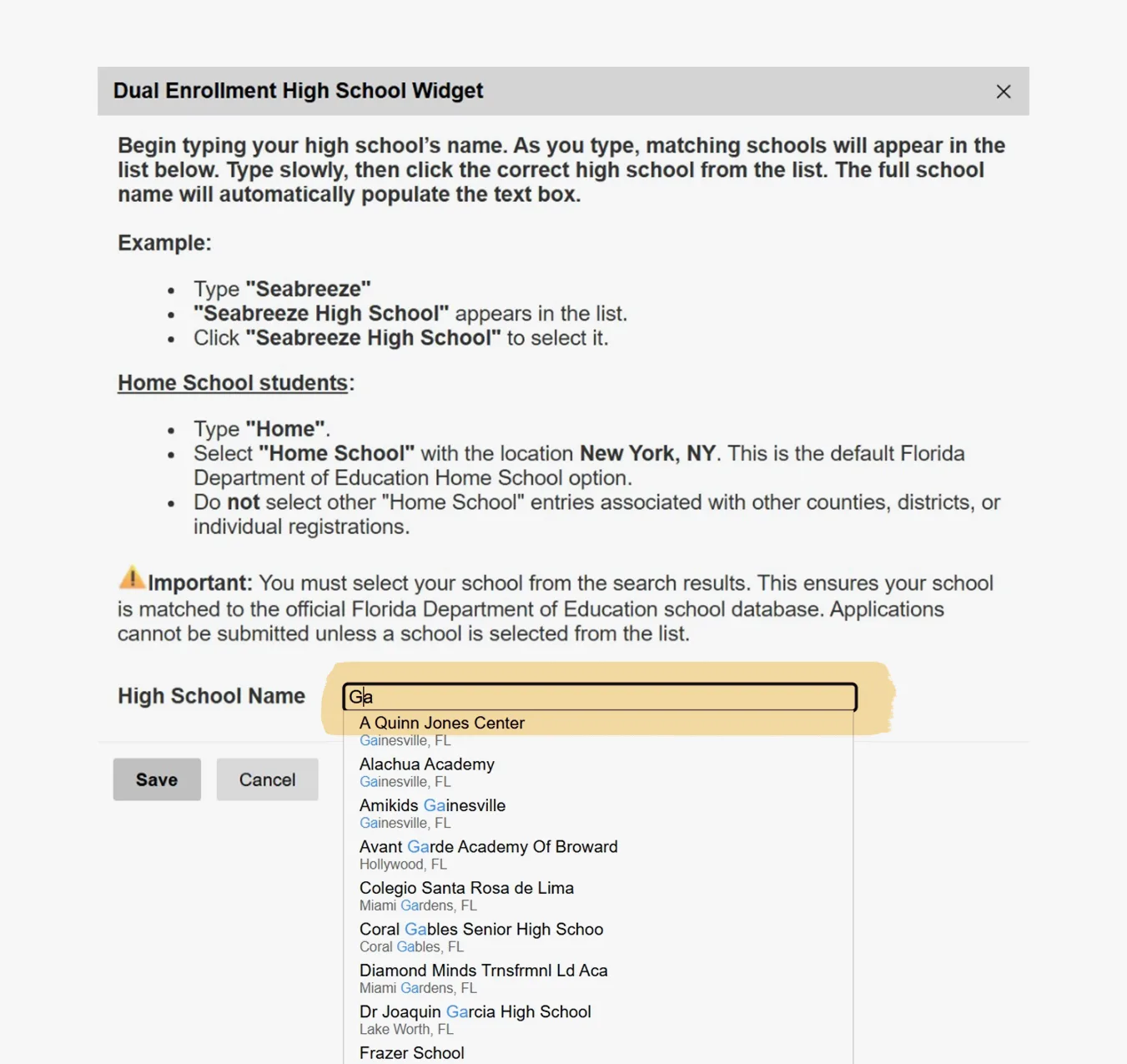
As you type the name of your high school, the widget system will provide suggestions. Make sure to type carefully and choose your school from the list that appears.
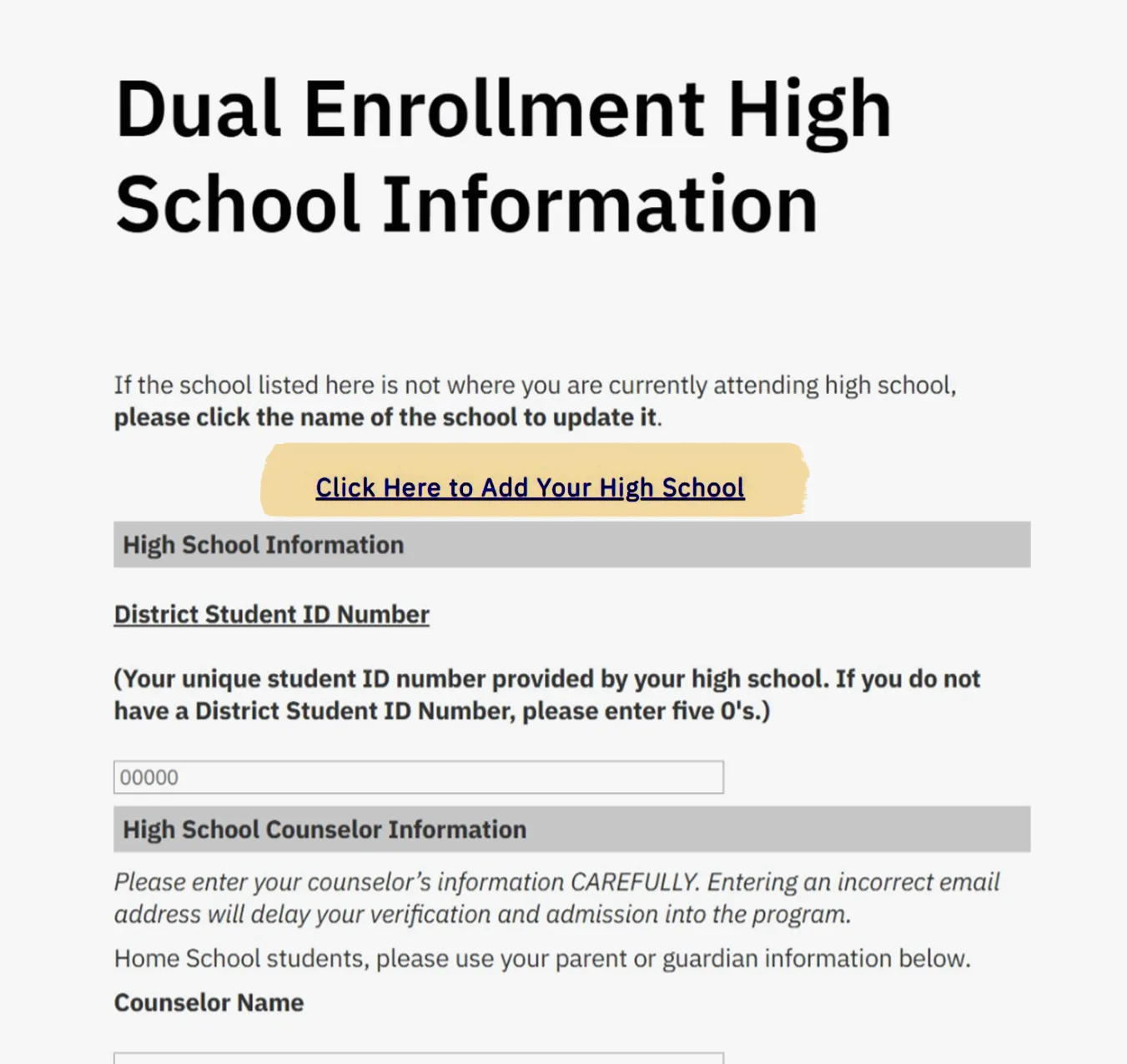
If your school doesn’t appear in the list, pause your application and contact our office at 352-273-4155 or dual-enrollment@dce.ufl.edu for assistance.
Double-check that the counselor email you entered is correct and free of typos before going on to the next page.
After you submit your application, your school counselor will later verify the details you provide; your counselor will receive an email within 2-3 business days to the email address you entered in the application.
Page 5 – Dual Enrollment Application Information
This page asks for key information needed for your admission to the Happiness Course Program.
- Select YES to participate in the UF Happiness Course (highlighted in yellow below).
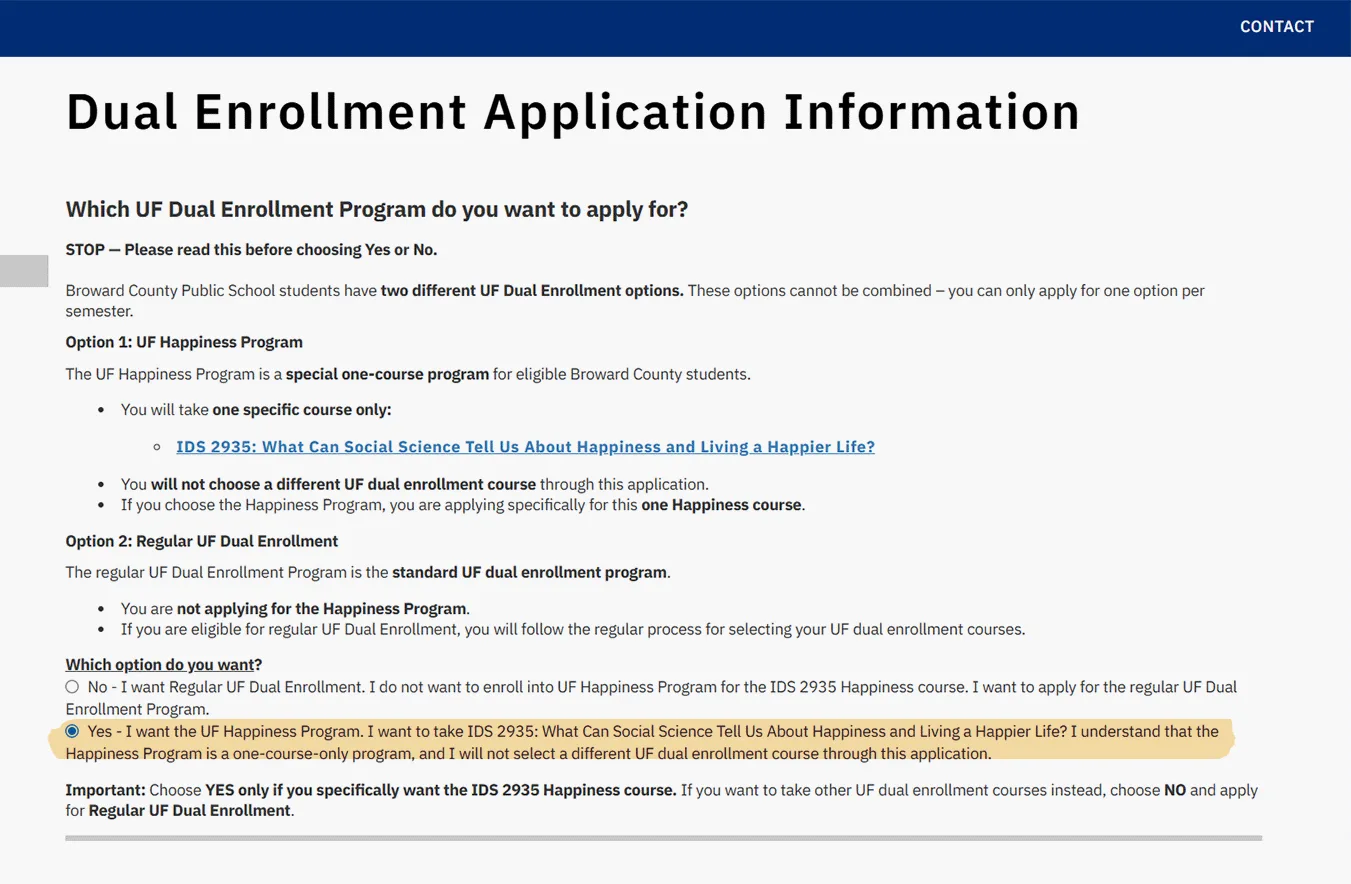
Don’t forget to select an answer for the final question regarding Previous Online Course Experience. If you select “Yes,” to that question, you’ll need to provide information about any previous courses in the free-text box to avoid errors when submitting.
Page 6 – Signature
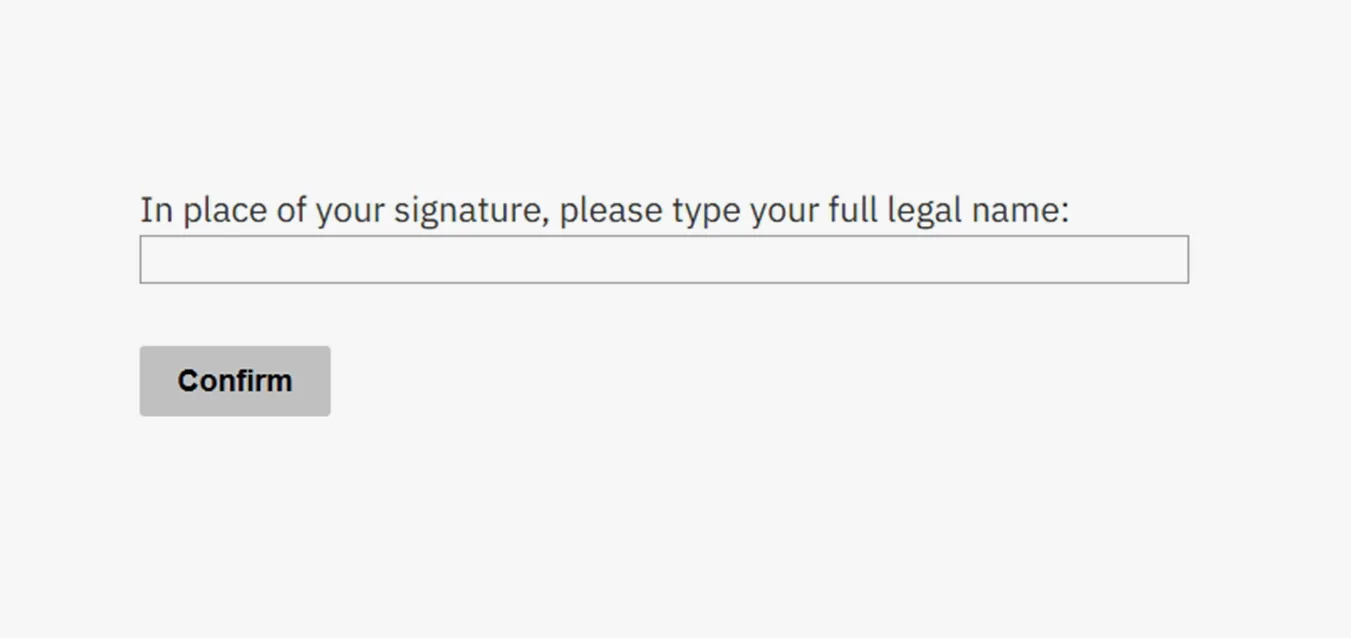
Last will be the Signature page, where students will provide their full legal name in place of their signature as a certification of their application information.
Page 7 – Review
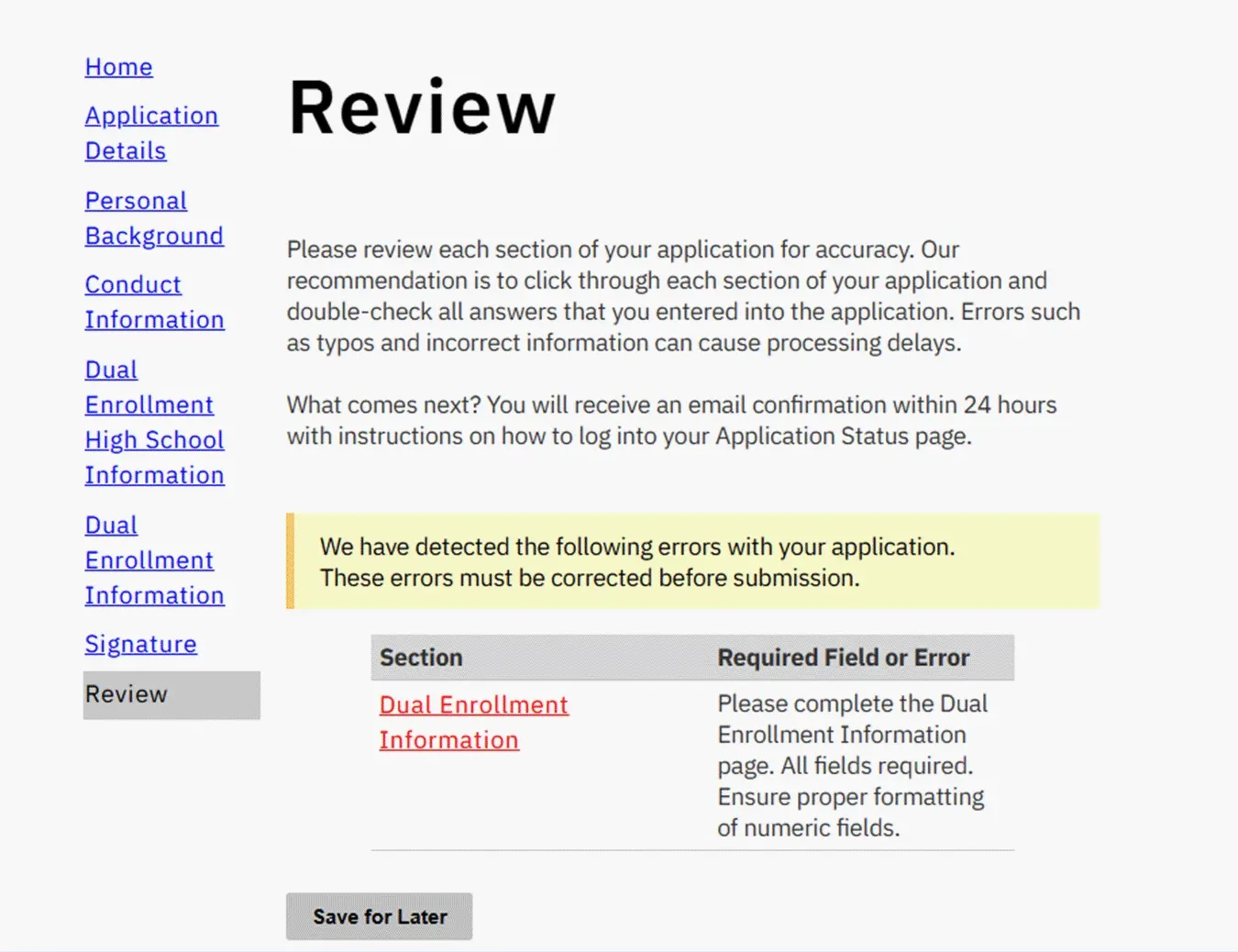
Check carefully to ensure all your information is correct and complete. The system will show if any required fields are missing (a message will pop up if there’s a problem).
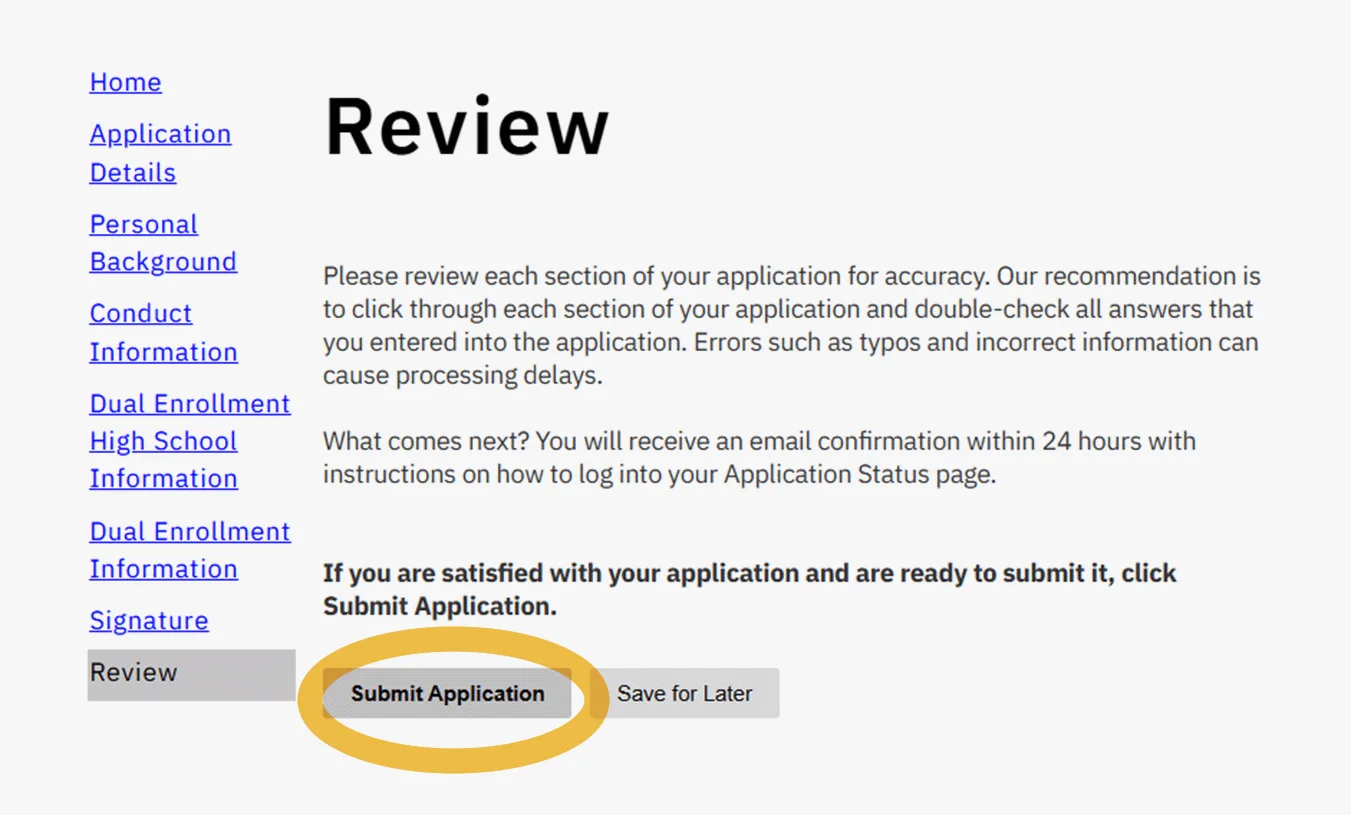
Once everything looks good, you can choose to Submit the Application.
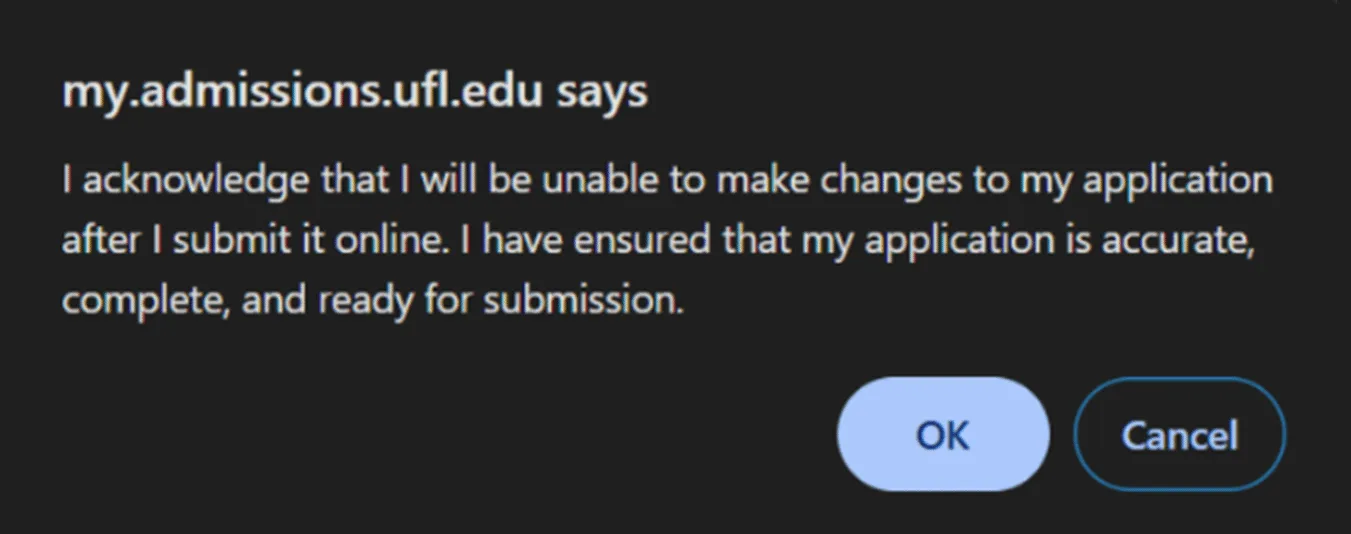
Confirm Submission: Once you click the button to Submit Application, a pop-up will appear to confirm.
Be sure to click “OK” to finalize it.
If the pop-up doesn’t appear, check your browser settings to allow pop-ups.
Important: All fields must be completed to avoid errors in your application.
What To Expect After You Apply
Congratulations on submitting your application for UF Dual Enrollment!
Below is a general pathway outlining what happens next and how to prepare as you move from decision release to course registration.
Wait for Your Decision – Decision Release Days are on:
Decision Release Day: November 12th
Decision notifications are sent to the email you used when you applied. Be sure to check your inbox regularly.
You will receive an email on your Decision Release Day with instructions on viewing your letter. To see if you were accepted into the program, you will need to log back into your application dashboard and click on the link to open your 2027 Non-Degree Application and read your letter.
Complete Next Steps Checklist After Reading Your Decision Letter
If you are accepted, you will see a series of required steps in your checklist after you have read your Decision Letter on your Application Status Page.
These must be completed in order to move forward with registration.
Once all checklist items are finished, you will enter the registration queue and our office will enroll you into your classes: students do not self-register in the UF Dual Enrollment Program.
Registration & Enrollment
Registration typically takes 3–4 weeks after all checklist items are completed.
Continue monitoring your email during this time for updates. Once registration is complete, you will receive an email confirmation and your checklist will update with course details, important dates, and deadlines.
Final Reminder
Check your email often for application updates and reminders. Make sure you complete each step as soon as possible.
We look forward to supporting you through the Dual Enrollment process!
Contact Us
If you have any questions during the application process, feel free to contact our office.